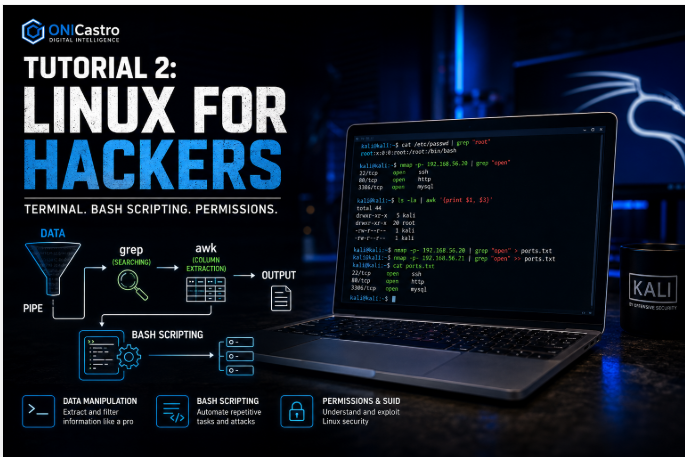
Tutorial 2: Linux for Hackers (Terminal, Bash Scripting, Permissions

Lesson notes

Welcome to Tutorial 2 of the Ethical Hacking & Cybersecurity Masterclass at ONICastro Digital Intelligence. In this guide to Linux for Hackers, you will learn the essential skills required for modern cybersecurity.
If you want to be a professional penetration tester, you must abandon the mouse.
90% of the tools you use will run in a terminal. Furthermore, when you successfully exploit a web server and gain a “shell,” you do not get a graphical desktop. You get a blank black screen and a flashing cursor. If you do not speak Linux, your attack stops there.
In this tutorial, we will cover the three pillars of Linux hacking:
- Data Manipulation: Using terminal utilities to extract information.
- Bash Scripting: Automating repetitive tasks.
- File Permissions & SUID: Understanding the mathematical core of Linux security — and how to break it for Privilege Escalation.
Boot up your Kali Linux VM and open a terminal.
1. Understanding Linux for Hackers – Data Manipulation (The Hacker’s Toolkit)
When you run a vulnerability scan, it will output thousands of lines of text. You need to know how to filter that data instantly.
The Pipe |
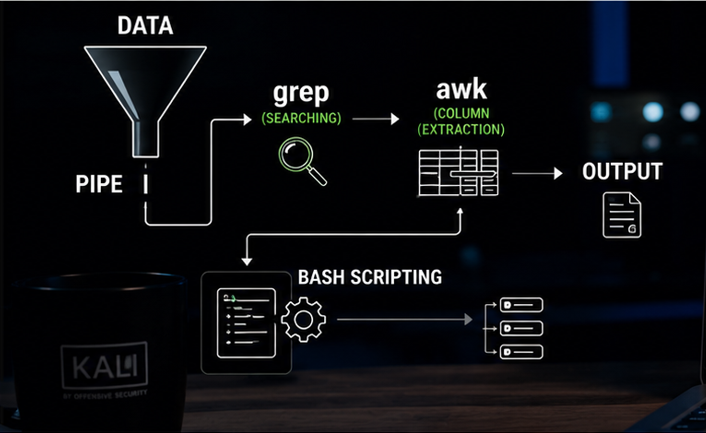
The pipe character | takes the output of the command on the left and feeds it as the input to the command on the right. It allows you to chain tools together.
grep (Searching)
grep searches text for a specific pattern.
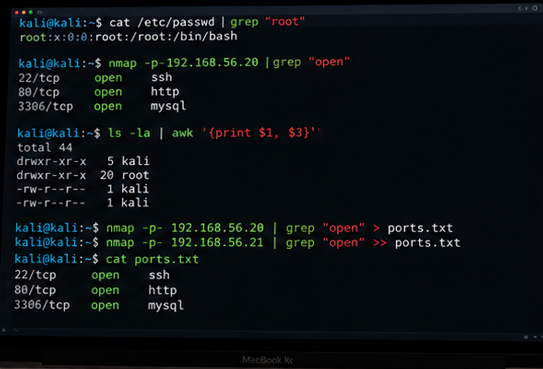
# Search the entire password file for the root user
cat /etc/passwd | grep "root"

# Run a port scan (nmap) and only show open ports
nmap -p- 192.168.56.20 | grep "open"
awk (Column Extraction)
Often, tools output data in columns (separated by spaces or tabs). awk allows you to extract just the column you want.
# Print the 1st and 3rd columns of a file
ls -la | awk '{print $1, $3}'

# Advanced: Extract only the IP addresses from an apache access log
cat /var/log/apache2/access.log | awk '{print $1}' | sort -u
(Note: sort -u sorts the list and removes duplicates).
Output Redirection > and >>
When you find something useful, you need to save it.
>writes the output to a file, overwriting it.>>appends the output to the end of the file.
# Save the list of open ports to a file
nmap -p- 192.168.56.20 | grep "open" > target_ports.txt

# Add another scan to the same file
nmap -p- 192.168.56.21 | grep "open" >> target_ports.txt
2. Bash Scripting (Automating the Attack)

A script is simply a text file containing a list of commands. Hackers use bash scripts to automate repetitive tasks, like sweeping a network to find live hosts.
Let’s write a Ping Sweeper. Instead of pinging 254 IP addresses manually, we will write a script to do it in seconds.
- Create a new file:
nano pingsweep.sh- Write the following code:
#!/bin/bash

# Check if the user provided an IP range argument
if [ "$1" == "" ]
then
    echo "Usage: ./pingsweep.sh [IP Prefix]"
    echo "Example: ./pingsweep.sh 192.168.56"
else
    # Loop from 1 to 254
    for ip in $(seq 1 254); do
        # Ping the IP once (-c 1). Send errors and standard output to /dev/null (the trash)
        # If it succeeds, print the IP
        ping -c 1 $1.$ip > /dev/null 2>&1
ifUnlock the Remaining 60%
Join the ONICastro Intelligence Hub — completely free.
Get full access to every tutorial and never lose your place.
- Learning Paths synced to your account
- Continue exactly where you stopped
- Completed badges & next recommended step
- Priority access to speedy consultancy